
ACE365 App Download
Fast access to live game rooms, exciting slots, and simple payments across Bangladesh. Sign in quickly and start playing on Android today.

Key ACE365 App Features

Join real‑time streams and interact with other players. The lobby updates instantly as sessions start.
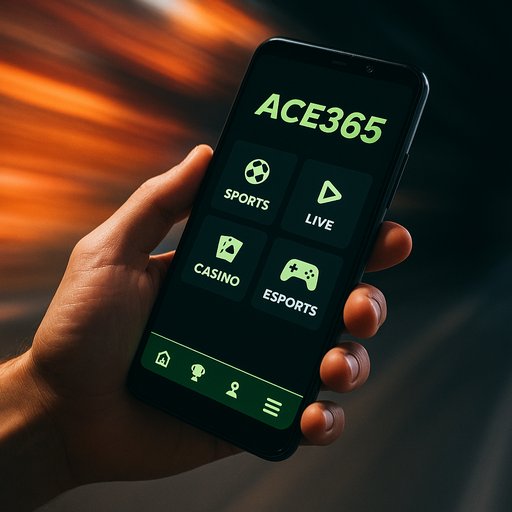
Easy navigation across sections, quick access to favorites, and smooth performance on most devices.
Pay with bKash, Nagad, and Rocket. Transactions stay protected with solid encryption and fast processing.
One‑tap sign‑in keeps you in the action without typing long credentials every time.

From action to classics, browse a broad collection with curated picks for Bangladesh players.
Overview and values
ACE365 started with a simple idea: bring trusted access to popular games right to your phone. Based in Dhaka, we focus on fast, friendly experiences for Bengali players who value speed, security, and local payment options. Since launch, millions of sessions have been completed across Bangladesh, with thousands of daily active users enjoying different ways to engage with in‑app features, rewards, and progress tracking.
We aim to keep things straightforward. The app supports Android devices across the latest versions, and we work hard to ensure smooth performance even on mid‑range hardware common in Dhaka and surrounding districts. In practice, most users complete setup in under 5 minutes, sign in within seconds, and start exploring games, streams, and rewards promptly. Local support in Dhaka is available in Bangla and English, making it easier to resolve any questions about accounts or payments.
When you use ACE365, you’ll notice the emphasis on safe, compliant access. We provide clear terms, a dedicated help center, and robust safeguards to protect account integrity. If you’re near Dhaka, you’ll often hear peers mention fast local payment routes like bKash, Nagad, and Rocket as a preferred option for quick funding and faster entry to your favorite activities. For further details, visit our FAQ page, where common questions about setup and safety are answered in plain language.
Popular experiences
Daily streams with real‑time playalong and chat. Accessible from smartphones and tablets in Bangladesh.
A curated set of popular slots with fast loading and responsive controls for mobile users.
Earn activity points and unlock features as you play across different categories and devices.
Check your app credits quickly and monitor recent activity with a clean dashboard.
Start on one device and continue on another without losing progress.
Two‑step verification and trusted devices help keep your account safe on the go.
Current offers
Sign up and access a welcome bundle to jumpstart your activity. Terms apply and eligibility checks.
Participate in our limited‑time event to earn extra points and unlock exclusive features.
Invite a friend and both receive bonus activity points that boost your progress.
Platform at a glance

Works on most Android devices (Android 7+ recommended). Stable on 4G connections common in Dhaka and surrounding areas.
3 simple steps to start
- Download the ACE365 App from /apk_ace365.html and install on your Android device.
- Register or login with ACE365 Register or ACE365 Login to access features.
- Play and track progress explore live streams, slots, and curated games, then monitor activity points.
What players say
The app loads fast and I can tap through sections quickly. Local payment options work smoothly, which helps when I’m on the go.
Sign‑in is simple and my account stays secure even on shared devices. I like the live streams and the easy navigation.
The catalog covers a lot of games, and the rewards feel fair. Support responded within a day when I asked about a payment issue.
Get started with ACE365 App today
Experience fast access, secure payments, and friendly features designed for Bangladesh players. Download the app now and check out our latest promotions.
Download ACE365 App ACE365 APKFrequently asked questions
How do I create an ACE365 account?
Use ACE365 Register to start. You’ll enter basic details, verify via your phone, and set a secure password. The process is designed to finish in under 5 minutes. If you already have an ACE365 account, use ACE365 Login to sign in quickly from the home screen.
Is my ACE365 account secure?
We use encrypted connections and protect login data with industry standards. Enabling two‑step verification adds another layer of security. Always use a unique password and avoid sharing details.
What payments are supported in Bangladesh?
Supported local options include bKash, Nagad, and Rocket, plus card methods where available. Transactions appear in your activity log and are processed securely.
Can I use ACE365 on mobile?
Yes. The ACE365 App runs on Android devices with smooth performance on phones released in the last few years. If you’re on a slower connection, just try the lightweight mode in settings.
How do I contact customer support?
You can reach us via the Help section in the app or the ACE365 Contact page. Expect a response within one business day and a friendly, clear resolution.